Turn every product into a video ad, and post it automatically
ClipifyWoo makes short video ads from your product photos, adds music and motion, and publishes them to YouTube Shorts, Facebook and Instagram Reels. One click at a time, or on autopilot.
- No card needed: pay after your demo
- 7-day money-back guarantee
- Setup help on a live call
See it make and publish a video ad in about 2 minutes
Publishes straight to
- YouTube Shorts
- Facebook Pages
- Instagram Reels
- TikTok (download & copy caption)
You have the photos. You don't have the time.
Video gets the reach, but making one for every product you stock isn't realistic. So most products never get one.
Without ClipifyWoo
- Hours in a video editor for a single product
- Downloading and re-uploading the same file to every platform
- Writing a new caption each time
- Posting stops the moment you get busy
With ClipifyWoo
- A finished video ad from one click in your Products list
- Published to YouTube, Facebook and Instagram from WordPress
- Captions built from your product: description, price, link, hashtags
- A schedule that keeps posting new products for you
From product to published ad in 3 steps
Everything happens inside your WordPress dashboard.
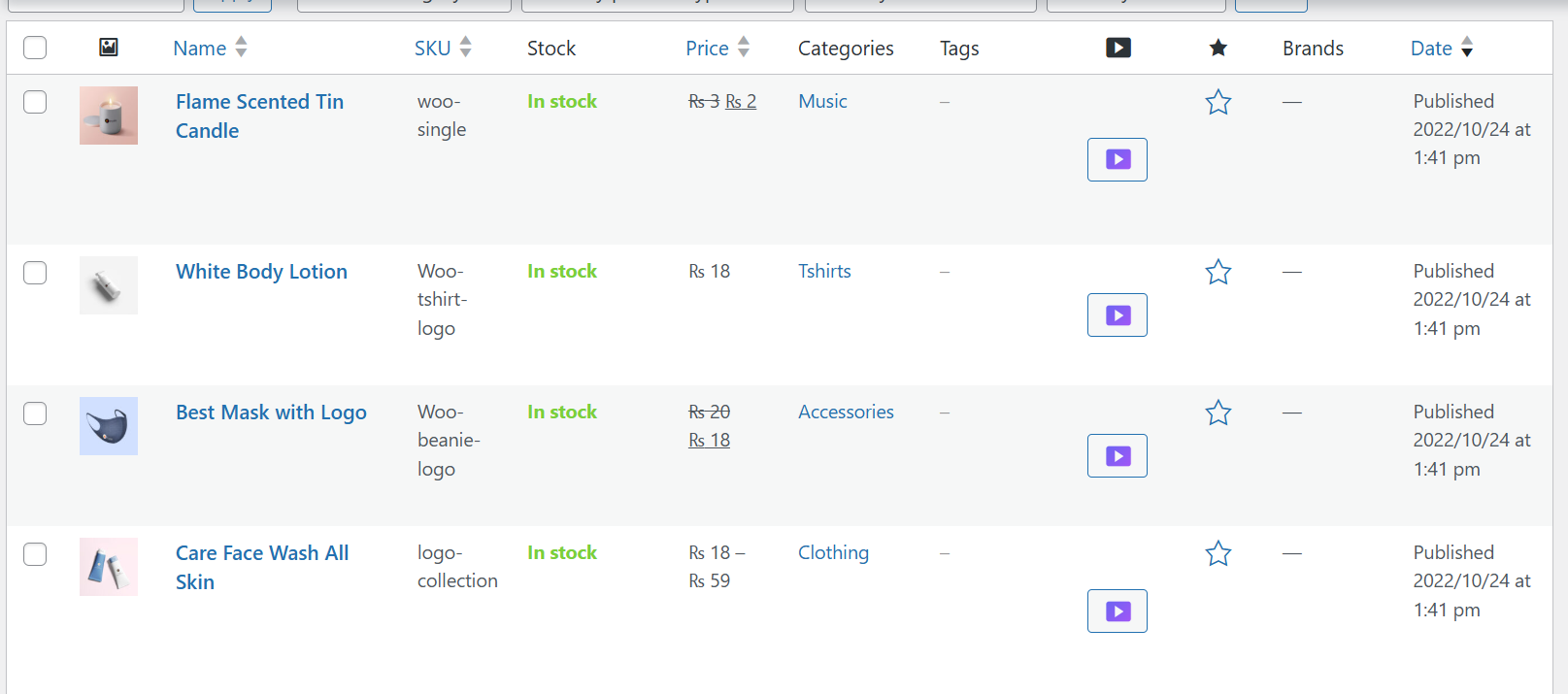
Click “Create Ad Video” on any product
ClipifyWoo adds an Ad Video button to your WooCommerce Products list. It uses the product's featured image and gallery photos. Videos in the gallery are skipped automatically.
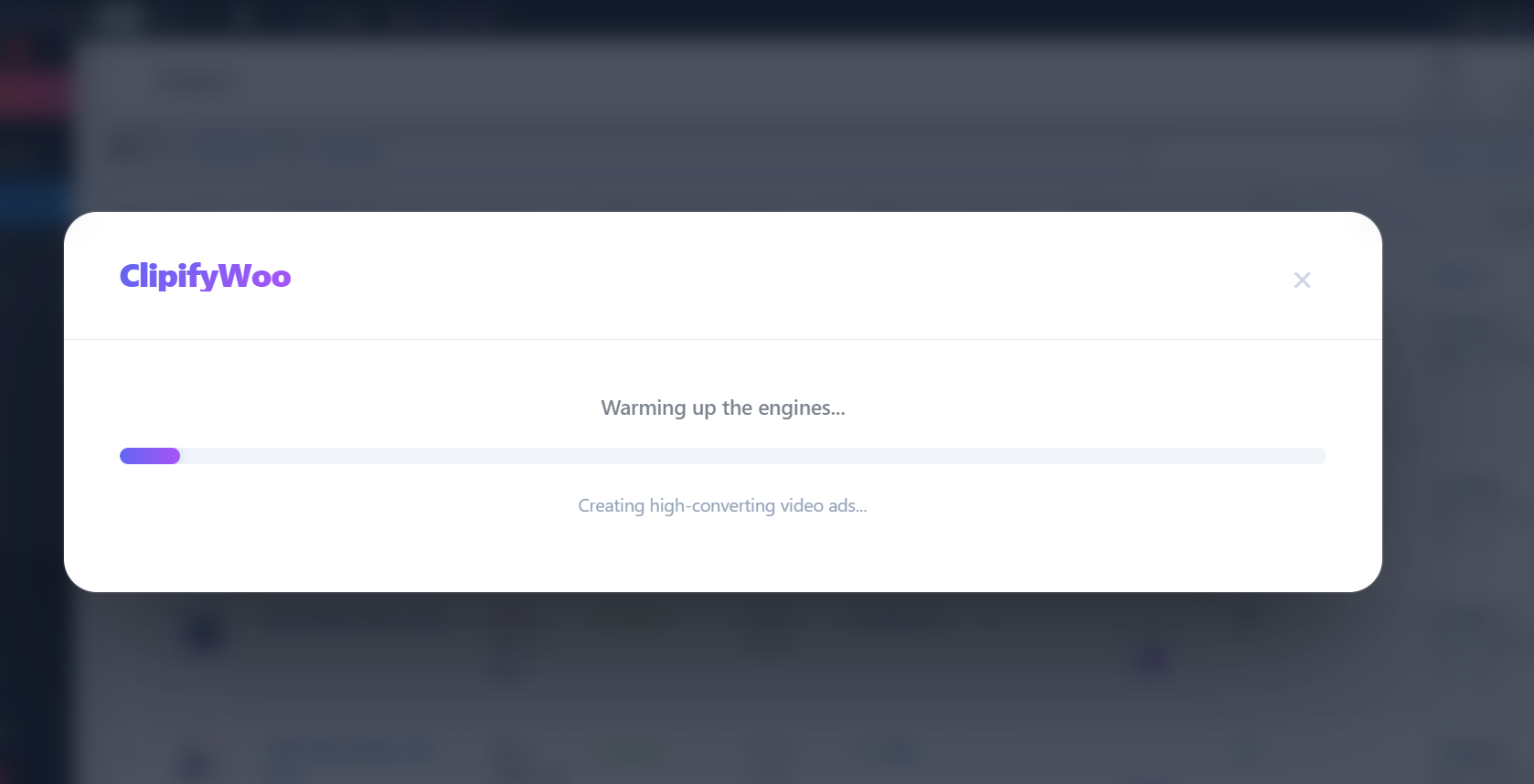
It renders in the cloud while you wait
Motion, transitions and music are added on our render server, with a live progress bar. There's no video software to install, and nothing heavy runs on your hosting.
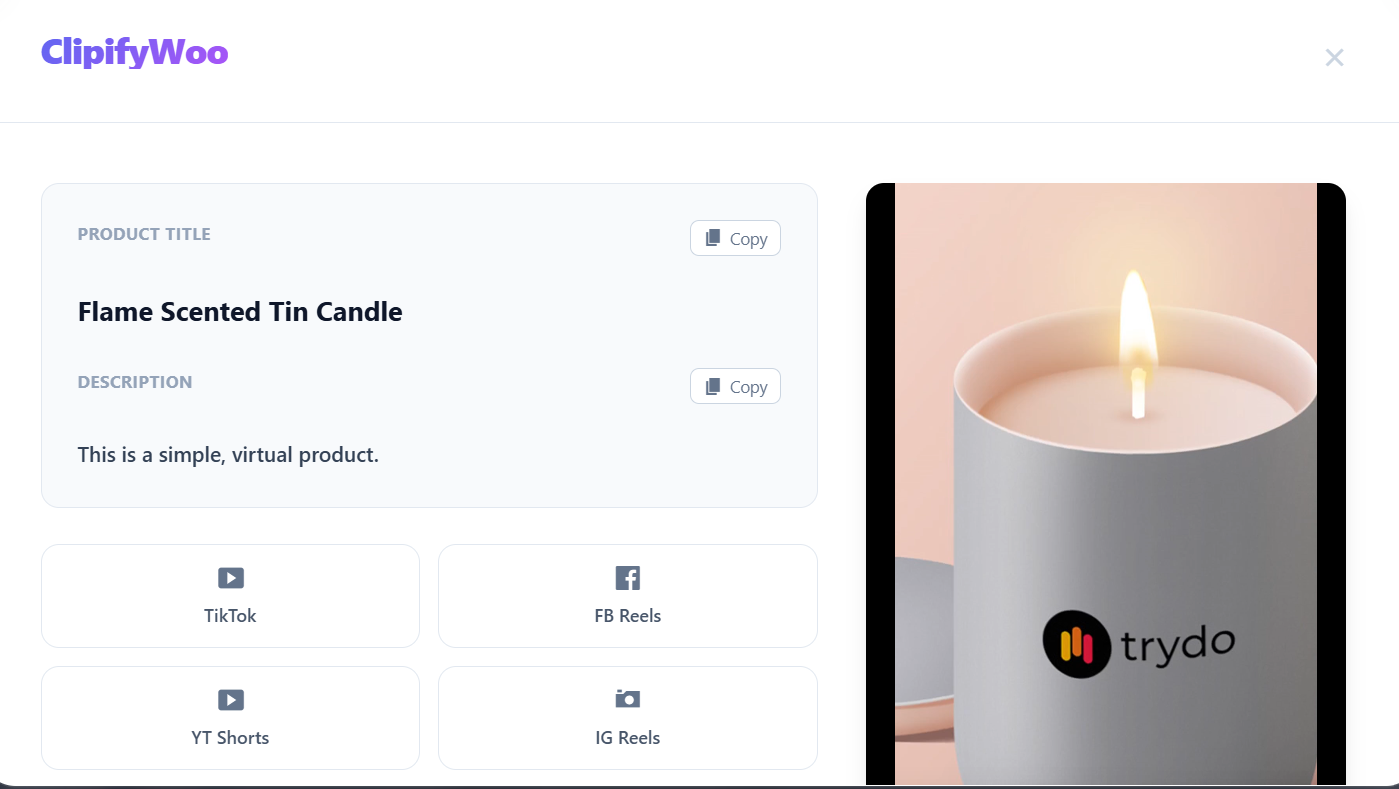
Preview, then publish in one click
Watch the finished video, download it, or publish it straight to YouTube, your Facebook Page or Instagram Reels. The title and caption are ready to copy for anywhere else.
Everything you need to keep posting
Built for store owners who'd rather sell than edit videos.
One-click videos
Create an ad for any product straight from the Products list. No design skills needed.
Cloud rendering
Videos are made on our servers, so there's no FFmpeg to install and no slowdown on your store.
Publish everywhere
YouTube Shorts, your Facebook Page and Instagram Reels, without downloading and re-uploading.
Auto-posting schedule
Hourly, every 6 or 12 hours, daily, or your own interval. It picks the next product and posts it.
Captions that sell
Short or full description, price in your store currency, a buy link, and your product tags as hashtags.
Instagram-ready
Choose no link, the plain URL, or your own line like “Shop now, link in bio”, since Instagram captions can't hold clickable links.
Any format
Vertical 9:16, square 1:1, landscape 16:9 or 4:5, at 15, 30, 45 or 60 seconds.
Music your way
Use the music library or upload your own tracks. Play them in your chosen order or shuffle.
You stay in control
Skip categories or single products, choose newest or oldest first, and see every post in Recent Activity.
Video library
Every video you've made in one place: play, download or delete.
System status
A health check that tells you exactly what's ready and what needs attention.
Built-in setup guides
Step-by-step guides for connecting YouTube, Facebook and Instagram, right inside the plugin.
Set it once. It keeps posting.
Choose how often to post and which products to skip. ClipifyWoo picks the next product, makes its video and publishes it to every account you've connected. Then it does it again.
- From every 15 minutes to once a day
- Newest or oldest products first
- Recent Activity links to every post
- Runs in the background with WooCommerce's own scheduler
The caption writes itself
Every post gets text built from the product, so it reads the same on every platform. Pick what goes in, preview it on your newest product, and it applies to scheduled posts and one-off posts alike.
- Short description, full description, or a word limit
- Price in your store currency, with sale prices
- Product link on YouTube and Facebook
- WooCommerce tags as hashtags
Simple pricing
Buy the plugin once, and pay monthly only for the videos we render for you.
Plugin Licence
Yours to keep, with updates and maintenance included.
- Every feature on this page
- Plugin updates and maintenance
- Setup help on a live call
- Email support
Video Rendering
Cloud rendering on our servers. Cancel anytime.
- 30 videos every month
- Up to 60 seconds each
- Enough for a new video every day
- No FFmpeg or server setup
To get started: $49 once + $10/month. Book a demo, see it working on a live call, then pay by bank transfer. No card needed.
Book a Free Demo7-day money-back guarantee: if it doesn't work on your store, you get a full refund.
Book a free live demo
Pick a time and we'll show you ClipifyWoo on a video call, answer your questions, and check it's a good fit for your store. There's no obligation to buy.
- Book a time with the form.
- See it live on a video call.
- Pay by bank transfer if you want it. We'll send an invoice.
- We help you set it up and connect your accounts.
Prefer email? getclipifywoo@gmail.com
Frequently asked questions
What do I need to run it?
A WordPress site (6.0 or newer) with WooCommerce 8.0 or newer, on PHP 7.4 or newer. That's it: the videos are rendered on our servers.
Do I need FFmpeg or any video software?
No. Rendering happens in the cloud with your Video Rendering plan, so nothing extra is installed on your hosting and your store stays fast.
Why is there a one-time price and a monthly price?
The $49 licence is the plugin itself, with updates and maintenance. The $10/month plan pays for the servers that render your videos: 30 videos a month, up to 60 seconds each. You need both to make videos.
What if I need more than 30 videos a month?
Get in touch and we'll set up a larger plan for you. Your 30 videos reset every month.
How do I pay?
After your demo we send you an invoice, and you pay by bank transfer. There's no card or payment form on this site.
What's the refund policy?
If ClipifyWoo doesn't work on your store, email us within 7 days of paying and we'll refund you in full.
How do I connect YouTube, Facebook and Instagram?
You connect your own accounts from the plugin's API Connections tab, following the built-in step-by-step guides. Each platform needs a free developer app in your own name, which keeps your accounts under your control. We'll walk you through it on the setup call.
Is there a limit on YouTube uploads?
YouTube gives each Google project a daily upload quota, which allows about 6 uploads a day by default. That's plenty for a daily schedule. If the quota runs out, the plugin says so clearly, and it resets the next day.
Does it work with TikTok?
TikTok doesn't offer public posting for tools like this, so you download the video and copy the ready-made caption from the plugin, then upload it in TikTok.
Which images does it use?
The product's featured image first, then its gallery images. JPEG, PNG and WebP are used as they are; other image formats are converted automatically. Videos in the gallery are skipped.
Does it work with variable products?
Yes. Simple and variable products both work. For variable products, the caption can show the price as “From” the lowest price.
Can I use my own music?
Yes. Upload your own tracks alongside the music library, then play them in your chosen order or shuffle them. Leave out any track you don't want used.
Give every product its own video ad
See ClipifyWoo working on a free live demo. Pay only if you want it.
Book a Free Demo